
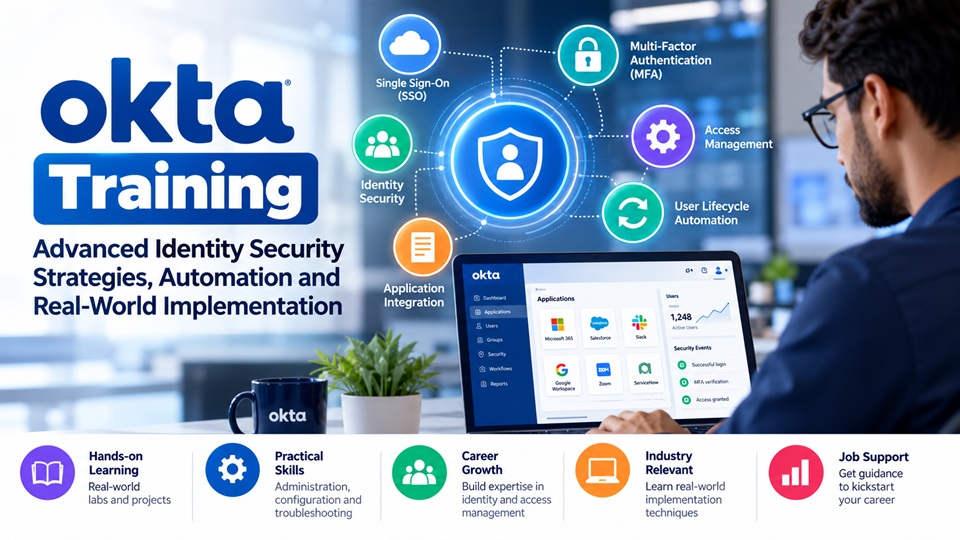
Okta Training: Advanced Identity Security Strategies, Automation and Real-World Implementation

Okta Training helps IT professionals gain practical knowledge of identity security, access management, application integration, user lifecycle automation, and enterprise authentication. It focuses on developing skills required to manage employee access, configure Single Sign-On (SSO), implement Multi-Factor Authentication (MFA), troubleshoot authentication issues, and automate identity-related tasks. Through hands-on exercises and real-world projects, learners can understand how organizations secure applications and manage digital identities efficiently. Whether you are a beginner or an experienced IT professional, learning Okta administration, development, and integration techniques can help you prepare for industry requirements and build a career in identity and access management. Explore professional Okta Training with Job Support to strengthen your technical and practical skills.
1. Building an Identity-First Security Strategy
Modern organizations use multiple cloud platforms, internal applications, databases, and business tools. Managing access separately across these systems can create security gaps and unnecessary administrative work.
An identity-first security strategy focuses on making every access decision based on the user's identity, responsibilities, and level of authorization.
With practical Okta knowledge, administrators can learn how to:
Establish centralized access management for enterprise applications.
Create user groups based on departments and job responsibilities.
Apply authentication rules according to application sensitivity.
Reduce unnecessary permissions through role-based access.
Monitor user activities and identify unusual access patterns.
Why Is Identity-First Security Important?
Consider an organization with 500 employees using applications such as Salesforce, Microsoft 365, Slack, and other business platforms. Managing individual permissions manually can become complicated.
An identity-first approach allows IT teams to manage access through centralized policies and automated processes. It also makes employee onboarding, internal transfers, and employee exits easier to manage.
2. How to Design Smarter Access Policies in Okta
Access policies are an important part of enterprise security. Instead of allowing every employee to access applications using the same authentication requirements, organizations can create different security rules based on risk and business needs.
For example, an employee accessing a general communication application may require standard authentication, while someone accessing financial records may need additional verification.
Understanding Context-Based Authentication
Context-based authentication considers different conditions before allowing access.
These conditions may include:
User identity and group membership.
Device security and registration status.
Application sensitivity.
Network and location conditions.
Authentication strength and session requirements.
How to Configure Practical Access Scenarios
During Okta administration training, learners should practise creating different access scenarios.
Example:
A company wants its finance team to access sensitive financial applications. The administrator can configure application-specific authentication policies that require stronger authentication before granting access.
This approach helps organizations balance employee convenience with security requirements.
Understanding how to create, test, and troubleshoot authentication policies is an important practical skill for Okta administrators.
3. Automating Employee Onboarding and Offboarding with Okta
Employee lifecycle management is one of the most important responsibilities of an IT administration team.
When an employee joins an organization, several activities must happen before they can start working. Their accounts need to be created, applications assigned, and permissions configured.
Similarly, when employees leave, their access must be removed to prevent unauthorized activities.
How Automated Employee Onboarding Works
A well-designed onboarding process can include:
Receiving employee information from an HR system.
Creating or updating the employee's identity profile.
Assigning the appropriate department and user groups.
Provisioning access to required applications.
Applying permissions according to the employee's role.
Sending relevant notifications to IT administrators.
What Happens During Employee Offboarding?
Offboarding requires equal attention because inactive accounts can become potential security risks.
An automated workflow can help disable user access, remove application assignments, and notify relevant teams when an employee leaves.
Learning how to configure these processes helps administrators reduce repetitive work and improve operational consistency.
4. Okta Workflows: Practical Automation for IT Teams
Manual IT operations often involve repetitive tasks such as sending notifications, updating user information, generating reports, and managing access requests.
Okta Workflows helps administrators automate identity-related processes using visual, low-code or no-code flows.
Real-World Okta Workflows Examples
Here are some useful automation scenarios that learners can practise.
Scenario 1: Automatic User Notifications
When a new employee is created, a workflow can trigger notifications to the relevant IT team and manager.
Scenario 2: Suspicious Account Activity
When a particular security event occurs, an appropriately configured workflow can initiate an alert or other approved response.
Scenario 3: Access Request Management
When an employee requests access to a particular application, the workflow can route the request to the appropriate manager for approval.
Scenario 4: Scheduled User Reports
Administrators can automate reports about suspended accounts, inactive users, or other relevant identity information.
Skills to Develop in Okta Workflows
Understanding flow structure and execution.
Working with connectors and application integrations.
Configuring event-based triggers.
Applying conditional logic.
Handling workflow errors.
Testing and monitoring automated processes.
These practical exercises help learners understand how identity automation works in real enterprise environments.
5. Solving Application Integration Challenges Using Okta
Application integration is another important area in identity administration.
Organizations rarely use applications from a single vendor. They may operate a combination of cloud-based applications, internal business tools, and legacy systems.
Connecting these applications securely requires an understanding of authentication protocols and integration methods.
Common Integration Concepts to Learn
Single Sign-On (SSO): Learn how employees can access multiple assigned applications through a centralized sign-in experience.
SAML Integration: Understand how SAML-based authentication allows applications to exchange authentication information securely.
OAuth 2.0: Learn how applications obtain authorized access to protected resources.
OpenID Connect (OIDC): Understand how identity information can be shared through an authentication layer built on OAuth 2.0.
SCIM Provisioning: Learn how user accounts and profile information can be synchronized between identity platforms and connected applications.
Practical Integration Example
Suppose an organization wants to connect Salesforce with Okta.
The administrator needs to configure the application integration, establish the appropriate authentication settings, assign users, and test the sign-in experience.
Learners should also practise identifying common integration errors, such as incorrect configuration values, certificate issues, and provisioning failures.
6. How to Troubleshoot Common Okta Administration Problems
Knowing how to configure applications is important, but troubleshooting is what helps administrators handle real workplace responsibilities.
An Okta administrator may encounter different technical issues during daily operations.
Common Okta Issues and Their Solutions
Common issue | What to investigate |
SSO login failure | Application configuration and authentication settings |
MFA verification problem | Authenticator enrollment and policy requirements |
User provisioning failure | Profile mappings and integration settings |
Incorrect user permissions | Group assignments and application roles |
Account synchronization issue | Directory integration and provisioning logs |
Unexpected access denial | Authentication policies and user conditions |
How to Develop Troubleshooting Skills
Rather than simply memorizing error messages, learners should understand how to investigate the root cause.
A good troubleshooting approach includes:
Identifying the affected user or application.
Checking relevant system logs.
Reviewing authentication and provisioning settings.
Identifying configuration inconsistencies.
Applying the required correction.
Testing the solution with the affected user or application.
Practical troubleshooting exercises help learners become more confident when handling enterprise identity management responsibilities.
7. Okta Administrator vs. Okta Developer: Which Career Path Should You Choose?
Okta offers opportunities for professionals interested in both administration and technical development.
Although these roles work closely together, their responsibilities are different.
Okta Administrator
An Okta administrator generally focuses on:
Managing users and groups.
Configuring application integrations.
Implementing authentication policies.
Managing user provisioning.
Monitoring access activities.
Handling identity-related support issues.
Okta Developer
An Okta developer generally focuses on:
Working with Okta APIs.
Developing custom authentication solutions.
Configuring OAuth and OIDC integrations.
Building application-level integrations.
Automating identity-related operations.
Implementing custom identity experiences.
Which Skills Should Beginners Learn First?
Beginners can start with core administration concepts before progressing into API integrations and advanced development.
A structured learning approach can help professionals understand the relationship between user identities, application access, authentication, and automation.
8. How to Prepare for Okta Certification and Job Interviews
Learning theoretical concepts alone may not be sufficient when applying for an Okta-related job. Employers often expect candidates to understand practical implementation and troubleshooting scenarios.
A focused preparation strategy should cover both technical knowledge and real-world problem-solving.
Important Okta Interview Preparation Topics
How do you configure an application in Okta?
How does SAML authentication work?
What is the difference between SAML and OIDC?
How do you troubleshoot an SSO failure?
How does user provisioning work?
How do you configure MFA policies?
What are Okta Workflows?
How do you manage employee access during offboarding?
How do you troubleshoot SCIM provisioning errors?
How do you work with Okta APIs?
Why Hands-On Projects Matter
Working on practical projects helps candidates explain technical processes with greater clarity during interviews.
Some useful projects include:
Configuring SSO for a business application.
Creating user groups and assigning application permissions.
Implementing an automated employee onboarding process.
Building a basic Okta Workflow.
Integrating an application using SAML or OIDC.
Working with user provisioning and deprovisioning.
These projects provide opportunities to apply the concepts learned during training.
9. How to Choose the Right Okta Training Program
Choosing an appropriate training program can make a significant difference in how effectively you develop your technical skills.
Before enrolling, consider whether the course covers practical administration, application integration, automation, and troubleshooting.
A useful Okta training program should include:
Structured learning from basic to advanced concepts.
Practical demonstrations and hands-on exercises.
Real-world administration scenarios.
SAML, OAuth, OIDC, and SCIM integration concepts.
Okta Workflows and automation.
Interview preparation and technical guidance.
Certification-oriented learning.
It is also beneficial to choose a program that provides access to experienced trainers who can explain technical challenges and help learners understand practical implementation.
Conclusion: Start Your Identity Management Career with Ram Trainings
Building a career in identity and access management requires more than understanding technical definitions. Professionals need practical experience in application integration, authentication policies, user lifecycle management, automation, and troubleshooting.
Whether you are a beginner entering the IAM field or an IT professional looking to improve your existing skills, structured learning and real-world project experience can help you move towards your career goals.
Ram Trainings Okta Training with Job Support is designed to help learners develop practical Okta knowledge through structured training, hands-on projects, and job-oriented guidance. The learning approach covers important administration and development concepts, application integrations, automation, and interview preparation.
Explore the Okta Training and Certification Course at Ram Trainings to strengthen your technical skills and prepare for opportunities in the growing identity and access management domain.

